Trip Tracker App: How to Track My Trip with SpeedX
Your Journey, Digitally Preserved
Every adventure deserves to be remembered. Whether it's a weekend hike to a mountain summit, a cross-country road trip, or your daily running route, SpeedX's trip recording feature captures the complete story of your journey.
Starting a Trip
Before you begin your activity, open SpeedX and tap Start Session. The app immediately begins recording:
- GPS track — Every point of your route at regular intervals
- Speed data — Your velocity at each recorded point
- Altitude profile — Barometric pressure readings for elevation data
- Timestamps — When you passed each point on your route
The cockpit screen shows your live metrics as you move, so you can monitor your progress without interrupting the recording.
During Your Trip
SpeedX continues recording even when:
- Your phone is locked (background operation)
- You're in areas with zero cellular coverage (all sensors work offline)
- You switch between apps (recording persists in the background)
The persistent notification shows your current speed and trip duration at a glance.
Reviewing Your Trip
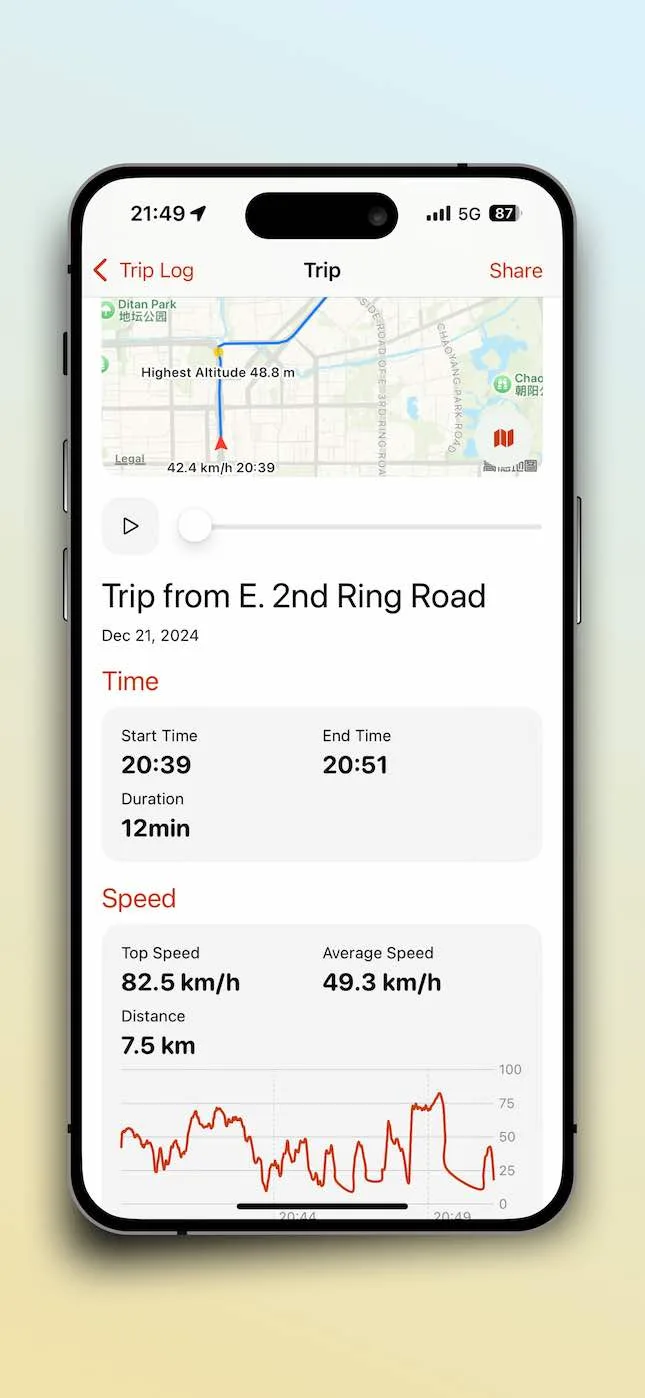
After tapping Stop, your trip is saved locally. You can access it anytime from the History Log. Each saved trip shows:
- Summary stats — Total distance, average speed, max speed, elevation range, duration
- Route map — Your GPS track displayed on an interactive map
- Speed profile — How your pace varied throughout the journey
- Altitude chart — Your elevation changes visualized
Creating Trip Cards
After each trip, SpeedX generates a beautiful trip card showing your route map and key stats — distance, average speed, max speed, and elevation gain. Share these cards directly with friends or on social media to showcase your adventures.
Privacy by Design
All trip data is stored exclusively on your device. SpeedX does not upload your location history to any server. You control your data — keep it private or delete it whenever you choose.
Start recording your adventures today with SpeedX — the trip tracker that respects your privacy while capturing every moment of your journey.
Related Articles

2026-10-01
Average Speed vs Moving Speed: Why Stops Matter
Calculate average and moving speed with a worked example and understand why pauses and recording settings change trip statistics.
2025-12-02
Trip Tracker App: How to Track My Trip with SpeedX
Learn how to track your trips with SpeedX, the ultimate trip tracker app. Record GPS routes, monitor speed and altitude, and create shareable trip cards of your adventures.
2026-10-22
Record a City Walk: Keep Your Route, Walking Speed and Elevation
Turn an unplanned city walk into a useful record. Learn what a route, speed readings and elevation can tell you, and how to review a SpeedX trip afterward.